Play the piano inside your AI chat.
A real synth-piano studio, right in the chat — learn songs, co-write music, name any chord, and train your ear. Every note is synthesized live on a tappable in-chat keyboard. No samples, no audio setup.
What it can do
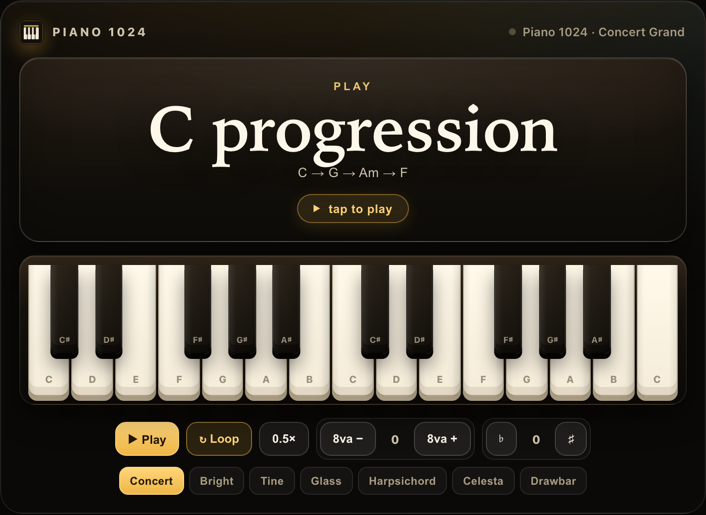
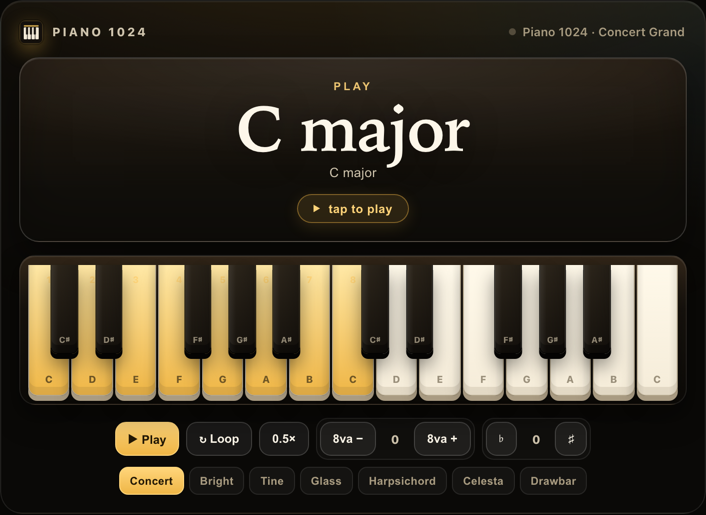
Play anything
A note, chord, progression, scale, or melody — voiced and playable.
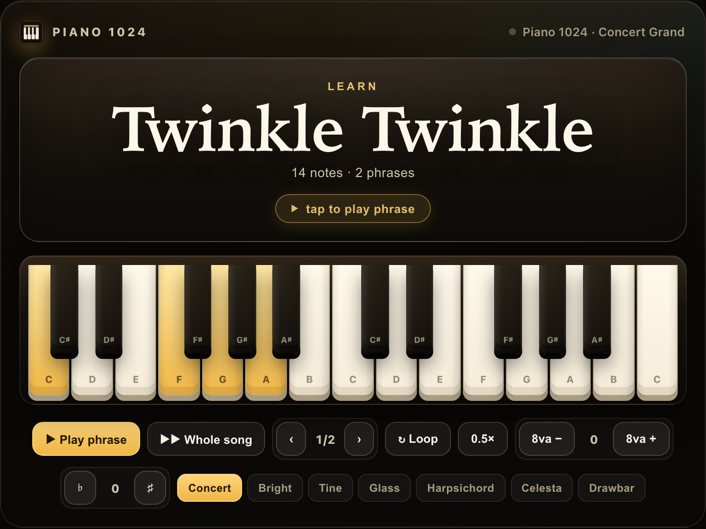
Learn a song
Phrase by phrase — fingering, lyrics, and hands-separate practice.
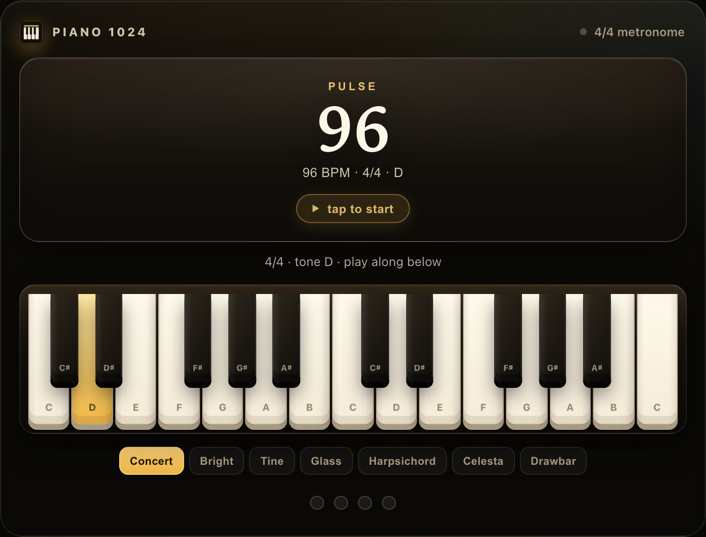
Keep a pulse
A metronome in any meter, even compound time like 6/8.
Train your ear
Graded interval, chord, and scale drills — your chat coaches you.
See it in action
Real Piano 1024 cards, exactly as they appear in a chat. In the chat itself the keyboard is live — tap any key and it sounds.
Try saying…
Teach a songTeach me to play Twinkle Twinkle, with fingering.
Co-writeWrite a dreamy progression in A minor, then add a melody — we'll keep tweaking.
Train my earQuiz me with interval drills and track my streak.
JamA 12-bar blues backing in A, and the scale to solo over it.
Add it to your chat
Takes about a minute — no separate Piano 1024 account, no payment, no coding. Nothing is downloaded; it runs inside the chat you already use.
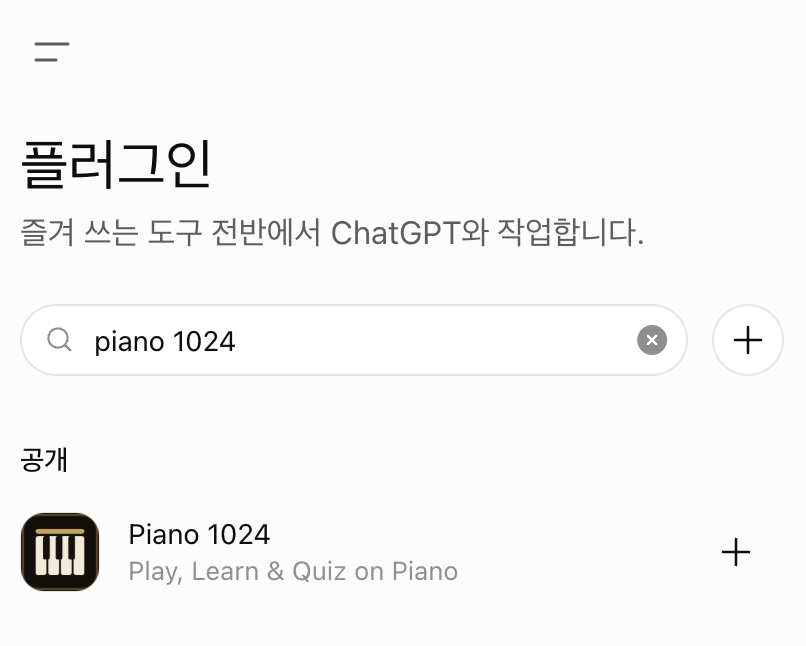
In ChatGPT
- Open Plugins and search “Piano 1024”.
- Hit + to add it — no URL, nothing to paste.
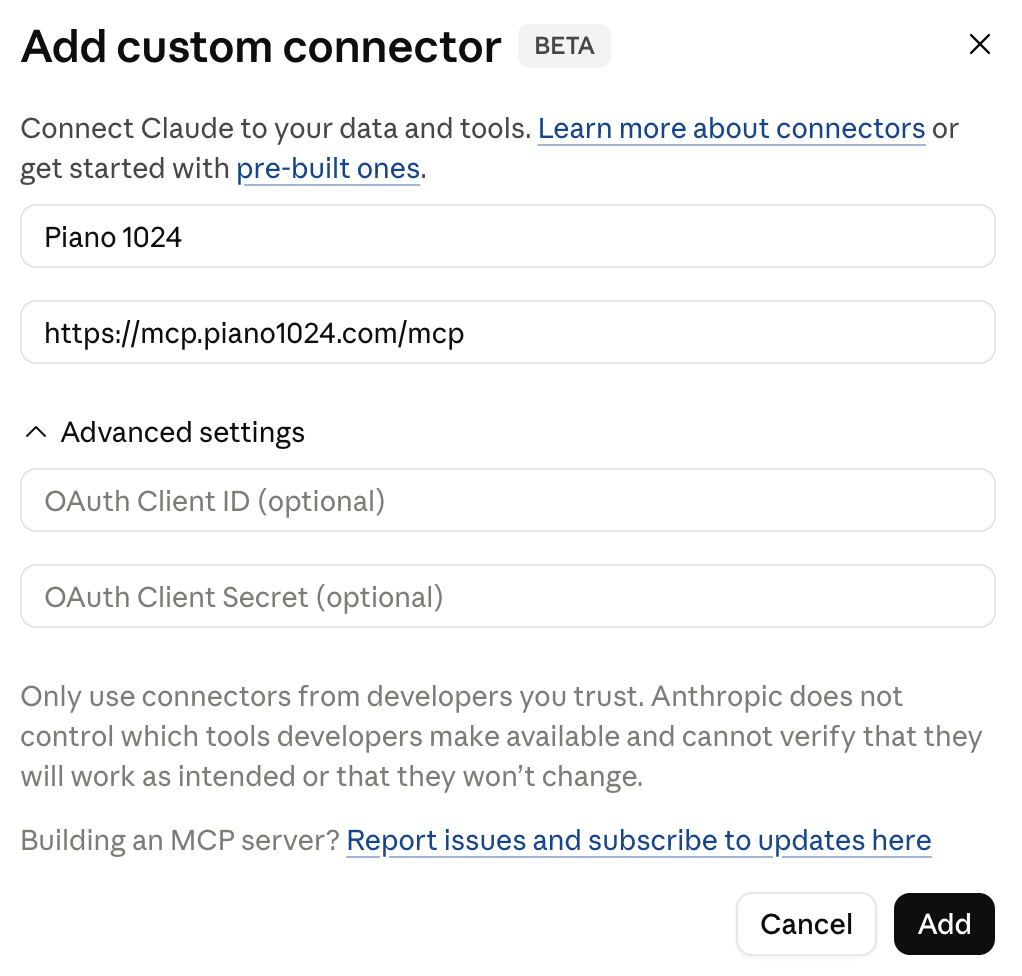
In Claude
- Settings → Connectors → Add custom connector.
- Paste this URL — leave authentication empty:
Then open a chat and try any prompt above — a playable Piano 1024 card appears inline. Tap its keys to hear them play.